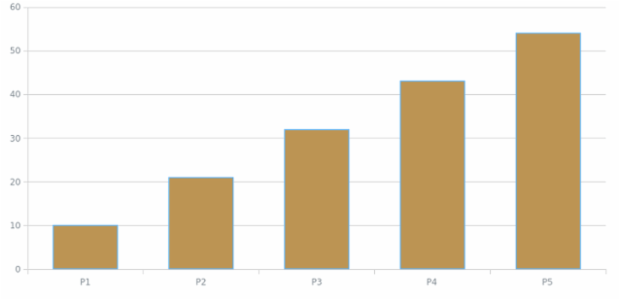
anychart.bar3d
Bar Chart
A Bar Chart (Bar Graph) displays data with rectangular bars whose sizes are proportional to the values they show. The chart presents compared categories on one axis and their corresponding values - on the other.
Column Chart
Column chart is a kind of bar chart with vertically plotted rectangular bars (columns). This is a basic column chart that shows the income of the company by product.
Line Chart
Basic multi-series line chart that shows the changes the different product sales changes over time.
A Line Chart depicts information as a series of markers connected by straight line segments. This chart type generally shows how the displayed value changes over time.
Multi-Series 3D Area Chart with Missing Points
A 3D Area Chart showing share prices of the ACME Corp. and another unnamed competitor company change from 1986 till 2005 with two values for the second company missing.
Multi-Series Bubble Chart
This multi-series bubble chart present information on sportsmen training. The interactive legend helps to control series. Customized tooltip show full information for each point. Series placed on scatter chart.
Stacked Area Chart
Stacked Area Charts with Region-wise sales information. Stacked mode helps to present data as a sum of a whole.
Stacked Bar Chart
A Stacked Bar Chart is composed of several Bar series having their own width and stacked horizontally one by one. This type is convenient when one needs to see the variation of each Bar series and the variation of the combined value.
Stacked Bar Chart with Negative Values
Stacked bar charts are used to compare the quantitative value each part of the category brings to the whole category. This chart shows the distribution of the revenue got from the cosmetic products sold to men and women.
Area Chart
An Area Chart (Area Graph) displays quantitative data by coloring the area between an axis and a line. This type is based on a Line Chart and can be used to highlight the total values over time.